
Published: December 2, 2025
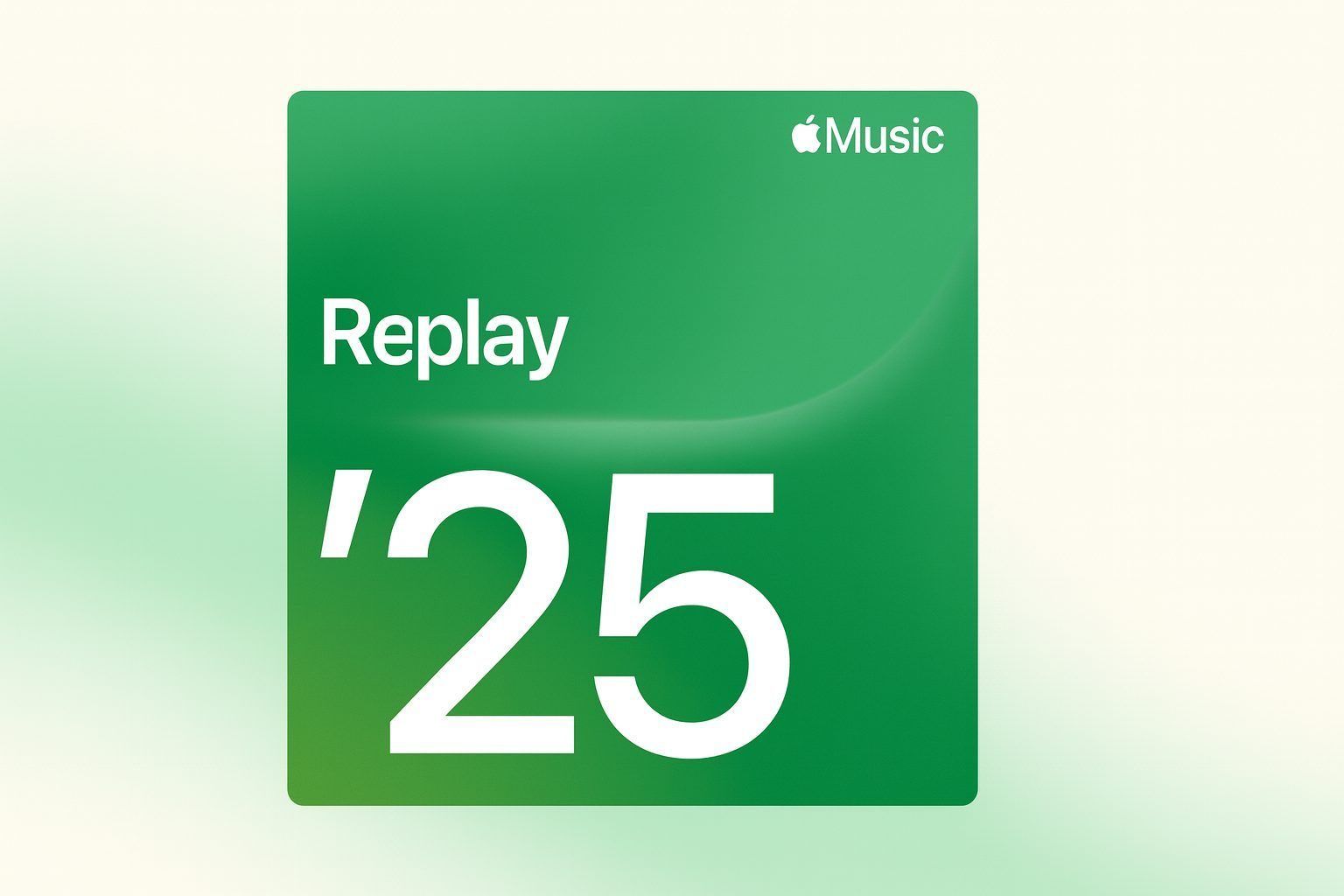
Apple Music Replay 2025 is almost here – but if you opened the app this morning and couldn’t find your year-end recap, you’re not alone. As of Tuesday, December 2, 2025, Apple has not yet launched the full Apple Music Replay 2025 highlight experience, even though the year-long Replay 2025 playlist and monthly stats have been running in the background all year.
Here’s a detailed look at what’s happening with Apple Music Replay 2025 right now, when it’s most likely to drop, what’s new this year, and how to make sure your recap shows up the moment it goes live.
Is Apple Music Replay 2025 out yet?
Short answer: the big, shareable year-end Replay 2025 recap is not live yet.
An explainer published today by Australian lifestyle site Homes To Love spells it out clearly: “As of Tuesday, December 2, Apple Music’s Replay hasn’t been released,” while noting that Apple is expected to launch it “sometime this week.”Homes To Love
Apple’s own Newsroom hasn’t posted a Replay 2025 announcement either. The most recent major Apple Music press releases focus on the service’s 10‑year anniversary and the new Replay All Time playlist, but there’s no 2025 recap press release yet.
What has been available for months is:
- Replay 2025 playlist – your top 100 songs of 2025 so far, updating weekly. This playlist went live back in February and lives under “Replay: Your Top Music” in the Apple Music app and on the web.MacRumors+2RouteNote+2
- Monthly Replay stats – Apple’s newer monthly recap view, which breaks down your top songs, albums, and artists for each month of the year.
What’s missing – and what everyone is waiting for – is the full year-end Replay 2025 experience: the animated highlight reel and expanded stats similar to last year’s Replay 2024 rollout.
Apple Music Replay 2025 release date: what history tells us
Apple has been pretty consistent about when it launches Replay, and that’s our best clue for 2025.
Recent year-end Replay launch dates include:AOL+2Forbes+2
- 2019: November 15
- 2021: December 1
- 2022: November 29
- 2023: November 28
- 2024: December 3
Coverage from outlets like Forbes, Gannett newspapers and Mac-focused sites all point to the same pattern: late November to the first week of December, often just ahead of or alongside Spotify Wrapped.
For 2025:
- Tech site Fossbytes notes that Replay launched in early December in 2024, 2022 and 2021 but in late November in 2023, and concludes that Replay 2025 will “likely roll out in the first week of December 2025.”Fossbytes
- Guides from Mac-focused and Apple Music–focused blogs similarly say the “big year-end Replay experience typically drops in late November or early December”, and that the 2025 version is “expected soon — likely within the next 1–2 weeks.”Macsome – Macsome+1
- Today’s Homes To Love piece explicitly predicts Replay 2025 “sometime this week,” and reminds readers that Replay 2024 arrived on December 3.Homes To Love
Putting this together, the most realistic window for Apple Music Replay 2025 is:
First week of December 2025 – with December 3–4 looking especially likely based on last year’s timing.
However, Apple has not confirmed an exact date, and there’s no official countdown.
Replay 2025 playlist vs. the full year-end experience
A lot of the confusion comes from the fact that “Apple Music Replay 2025” means two slightly different things:
1. Replay 2025 playlist (already available)
- Went live on February 3, 2025, according to MacRumors reporting.
- Ranks your top 100 songs of 2025 in a playlist that updates every week as your listening changes.
- Appears in the Apple Music app under Home → Replay: Your Top Music, and on the web at replay.music.apple.com.
German tech site GIGA notes that this playlist-style Replay view is available “at any time” during the year, and updates continuously based on what you listen to.GIGA
2. Replay 2025 year-end highlight experience (not out yet)
This is the “Wrapped-style” experience people share on social media:
- Apple’s support article describes a year-end Replay that shows:
- Top songs, artists, albums, genres, playlists and stations
- Total listening time
- Shareable highlight reel videos you can post on social mediaApple Support
- In 2024, Apple expanded Replay with:
- Replay By Month – a month-by-month recap of your #1 songs, artists, and albums
- Top 100 / 500 / 1000 listeners rankings for favorite artists and genres
- Listening Streaks (longest run of consecutive days you listened)
- Top Artist Streak and Date of First Play for key songs and artistsApple Scoop+3MacRumors+3Croma+3
Apple hasn’t published a 2025-specific feature list yet, but based on its own Replay support page and last year’s rollout, expect a very similar format for Replay 2025 – potentially with minor tweaks rather than a complete redesign.
What’s new around Apple Music in 2025: Replay All Time and “Best of 2025”
Even before Replay 2025 drops, Apple has set up a bigger context for this year’s recap:
- For Apple Music’s 10‑year anniversary, Apple launched Replay All Time, a special playlist that shows the songs you’ve played the most since you joined Apple Music, accessible via the Replay area in the app.
- Apple has also crowned Tyler, The Creator as Apple Music’s Artist of the Year 2025 and released a series of editorial “Best of 2025” playlists, gathering the most-streamed and most-talked-about tracks of the year.Beebom
Beebom’s coverage of these announcements notes that, with the “Best of 2025” lists now out, “all eyes are on this year’s Apple Music Replay”, which Apple is expected to release sometime in December.Beebom
Taken together, Replay 2025 will sit alongside:
- Replay All Time – your all‑time favorites
- Best of 2025 – editorial and global charts
- Artist of the Year – Apple’s chosen headline artist for the year
That makes this year’s Replay feel more like the capstone of a larger 2025 storytelling arc inside Apple Music.
Today’s coverage: Apple Music Replay 2025 news as of December 2, 2025
Here’s a quick roundup of the latest reporting up to and including December 2, 2025:
- Homes To Love (December 2, 2025) – Confirms that Replay 2025 is not yet released as of Tuesday, advises users to expect it “sometime this week,” and explains that you’ll find it at the bottom of the Apple Music Home tab once it arrives. The article also stresses that Replay won’t work if “Use Listening History” is turned off or you haven’t listened to enough music.Homes To Love+1
- Forbes (December 1, 2025) – Recaps previous launch dates (2019–2024) and argues that 2025’s Replay is likely to land in the same late‑November / early‑December window. It also quotes Apple’s own instructions about enabling Use Listening History on iPhone, Mac and Android so your stats are ready the moment Replay 2025 launches.
- MacRumors (December 1, 2025) – In a broader look at “What to expect from Apple this December,” MacRumors says the full-year Apple Music Replay playlist and personalized stats “should be released this December”, and notes that Replay 2025’s monthly playlists are already available.MacRumors
- Fossbytes (November 26, 2025) – Predicts that Replay 2025 will roll out in the first week of December, based on previous years, and outlines the expected features: Replay playlist, listening highlights, milestone badges, and a shareable highlight reel.
- GIGA (November 28, 2025) – Emphasizes that Replay 2025 stats are already live inside the “Replay” section all year long, with weekly updates to your 2025 top‑100 playlist, and that Apple simply “dresses up” the section with extra highlight reels and summaries towards the end of the year.GIGA
- Macsome & other how‑to sites (late November 2025) – Remind users that the big year-end Replay experience usually drops in late November or early December, and that as of their publication dates, the final 2025 recap hadn’t yet appeared but is expected “very soon.”Macsome – Macsome+1
The consensus across these outlets is clear: Replay 2025 is imminent, but not quite here as of December 2.
How to see Apple Music Replay 2025 as soon as it drops
When Apple flips the switch, your Replay 2025 recap should appear automatically — there’s no separate update to install beyond keeping your OS and Music app current. Apple’s own support page outlines the official steps.
On iPhone or iPad
- Update your device to the latest version of iOS or iPadOS.
- Open the Music app and go to the Home tab.
- Scroll down until you see “Replay: Your Top Music.”
- Tap “Go back in time” to open your Replay listening stats once Replay 2025 is live.
On Android
- Make sure the Apple Music app and your Android OS are up to date.
- Open Apple Music → Home.
- Scroll to Replay: Your Top Music and tap the Replay card when the 2025 recap appears.
On Mac
- Open the Music app on macOS.
- From the sidebar, choose Home.
- Scroll down to Replay: Your Top Music, where you’ll be able to open your Replay stats, year-end highlight reel, and playlists.
On the web
- Go to replay.music.apple.com in a browser.
- Sign in with the same Apple ID you use for Apple Music.
- Click “Jump In”. Once Replay 2025 is live, you’ll see an updated landing page with your 2025 highlight reel and stats.
Based on the way Replay 2024 rolled out, you can also expect a Replay entry card to show up more prominently across the app – including in the Home, New and Search tabs – once this year’s experience goes live, though Apple hasn’t yet confirmed the exact in‑app placements for 2025.
Why your Apple Music Replay 2025 isn’t showing (yet) – and how to fix it
If you still don’t see Replay 2025 after it launches, here are the most common reasons and fixes, drawn from Apple’s own support docs and multiple troubleshooting guides.
1. Replay 2025 simply hasn’t launched in your region yet
Apple tends to roll out Replay globally, but there can be slight timing differences. As several guides note, if the Replay 2025 highlight experience isn’t live anywhere yet, there’s nothing to fix; all you’ll see is the standard Replay 2025 playlist and monthly stats.
2. “Use Listening History” is turned off
Replay cannot generate stats if you’ve disabled listening history.
Apple explicitly instructs users to make sure Use Listening History is enabled on every device they use with Apple Music:Apple Support+2discussions.apple.com+2
- iPhone / iPad:
- Go to Settings → Apps → Music → Use Listening History and turn it on.
- Mac:
- In the Music app, go to Music → Settings → General, then check Use Listening History.
- Android:
- In the Apple Music app, tap More → Settings → Use Listening History and turn it on.
Several 2025 guides and today’s Homes To Love article highlight this as the most common reason Replay 2025 fails to appear.
3. You haven’t listened to “enough” music
Apple doesn’t publish an exact threshold, but both Apple and independent reports mention that you must stream a minimum amount of music before Replay becomes available.
If you:
- Only started your Apple Music subscription recently, or
- Mostly listen on other platforms (like Spotify or YouTube)
…Replay may show a message saying you haven’t listened to enough music yet.
4. Your listening is split across multiple Apple IDs
If you bounce between different Apple IDs on different devices, Replay can’t stitch your data together. Replay 2025 only counts plays associated with one Apple ID, so guides recommend sticking to a single Apple account everywhere you use Apple Music.
5. App or OS is out of date
Apple’s Replay help page starts by telling users to update iOS, iPadOS or Android to the latest version. Newer Replay features – including the highlight reel and monthly stats – have been added over time, and older app versions may simply not show them.
What Apple Music Replay 2025 will likely include
Until Apple publishes an official Replay 2025 feature list, we have to infer from last year’s Replay 2024 and Apple’s November 2025 Replay support article.
Expect Replay 2025 to include:
- A year-end highlight reel – a visually rich “story” summarizing your top artists, songs, genres and total listening minutes, built for sharing to social media.Apple Support+2MacRumors+2
- Replay By Month – a month‑by‑month breakdown of your #1 songs, artists, and albums for each month of 2025.
- Top Listener rankings – whether you’re in the Top 100, 500 or 1000 listeners for certain artists or genres.
- Listening Streaks – your longest run of consecutive days streaming Apple Music.
- Date of First Play – when you first heard your top song, artist or album of the year.
- Tie-ins to Replay All Time – easy access from your year-end page to the new all‑time replay playlist covering your entire Apple Music history.
Fossbytes also expects milestone badges, artist breakdowns and a “top songs timeline,” in line with Apple’s more granular insights in recent years.Fossbytes+2Record of the Day+2
Until Apple confirms the exact 2025 feature set, you can think of Replay 2025 as a refinement of the Replay 2024 experience, not a completely new product.
Apple Music Replay 2025 vs Spotify Wrapped 2025
Apple Music’s Replay sits in the same cultural space as Spotify Wrapped, but there are some key differences:
- Timing & frequency
- Spotify Wrapped appears once a year, usually in late November or early December.
- Apple Music Replay offers year‑round stats via the Replay playlist and monthly views, then adds a big year-end recap on top.
- Data emphasis
- Spotify focuses heavily on quirky, themed slides and viral formats.
- Apple leans into raw listening data (minutes listened, play counts, streaks, top listener rankings) and now extends that with Replay All Time.
- How early you can peek
- Wrapped is mostly invisible until it drops.
- With Replay, you’ve technically been looking at Replay 2025 all year via the playlist and monthly recaps; the December launch mainly adds polish, extra stats and stories.
If you care about tracking your habits continuously, Apple Music Replay is arguably the more “always-on” product, while Spotify Wrapped remains the bigger one‑week cultural “event.”
How to get the most out of Apple Music Replay 2025
A few practical tips before Replay 2025 finally lands:
- Double‑check your settings now
- Confirm Use Listening History is turned on everywhere.
- Make sure you’re signed in to the same Apple ID on all devices.
- Stream with intent this week
- Replay continues gathering data through the end of the year, so what you play now can still move tracks and artists up your final 2025 rankings.
- Add your Replay playlists to your library
- In the Replay section, add both Replay 2025 and Replay All Time to your library so they’re easy to revisit (and download offline if needed).
- Use monthly stats to tell a better story
- When the 2025 highlight reel arrives, cross‑reference with your Replay By Month view to see how your tastes evolved across the year – great material for social posts or personal journaling.
- If you’re an artist, track your fan engagement
- Artist‑facing guides point out that Replay data can help you understand which songs actually stick with fans and how often they return to your catalog.
Quick FAQ: Apple Music Replay 2025
Is Apple Music Replay 2025 available right now?
Not yet. As of December 2, 2025, only the Replay 2025 playlist and monthly stats are live; the full year-end highlight experience is still pending.
When is Replay 2025 most likely to drop?
Based on 2019–2024 launch dates and multiple 2025 previews, expect Replay 2025 in the first week of December, most likely around December 3–4, though Apple has not confirmed an exact date.
Where will I find Apple Music Replay 2025?
In the Apple Music app, scroll down the Home tab to Replay: Your Top Music, or go to replay.music.apple.com in a browser and sign in. Replay 2025 will appear there automatically once it’s live.
Why does Apple Music say I haven’t listened to enough music for Replay?
You may not have met Apple’s minimum listening threshold, or you might have had Use Listening History turned off earlier in the year. In that case, you’ll need to enable it and keep streaming until Apple deems you eligible.
If you’re refreshing the Replay page today and still seeing only the playlist: that’s normal. The good news is that Apple has already done most of the groundwork in 2025 – with Replay All Time, monthly stats and “Best of 2025” playlists – so when Apple Music Replay 2025 finally lands, your year in music should be ready to relive in full.
Related articles: NASDAQ:AAPL