Apple has officially rolled out iOS 26.2 on Friday, December 12, 2025, delivering a feature-packed point update that focuses on practical upgrades rather than flashy headline features. The release brings AirDrop verification codes, alarm-style reminders, a new Liquid Glass Lock Screen control, and Enhanced Safety Alerts for richer emergency information—plus smaller quality-of-life changes across Apple Music, Podcasts, Games, Apple News, Home, Accessibility, and Freeform. MacRumors+29to5Mac+2
Below is a complete, news-style breakdown of what’s new in iOS 26.2, what different outlets are highlighting on release day, and what you should know before hitting “Update.”
iOS 26.2 release: supported iPhones and how to download
According to MacRumors, iOS 26.2 is compatible with the iPhone 11 lineup and later, plus the second-generation iPhone SE. MacRumors
To install the update over the air:
- Settings → General → Software Update MacRumors
If you don’t see iOS 26.2 right away, that can happen during staged rollouts—checking again later often resolves it.
The biggest iOS 26.2 changes, in plain English
iOS 26.2’s core story is about making everyday actions more reliable and more controllable: sharing files with people you don’t know, making urgent tasks impossible to miss, and reducing friction in apps you open daily.
Apple’s published release notes (as reposted by multiple outlets) call out enhancements to Apple Music, Podcasts, and Games, along with broader improvements and bug fixes. 9to5Mac+1
Here are the headline features.
AirDrop Codes: a smarter way to share with people outside your contacts
One of the most widely discussed iOS 26.2 additions is AirDrop Codes—a security-minded middle ground between “Contacts Only” and “Everyone.”
Apple’s release notes describe AirDrop Codes as an additional layer of verification when using AirDrop with unknown contacts, showing a code on the receiver’s device that the sender must enter to complete the transfer. 9to5Mac+1
AppleInsider adds helpful context: iOS 26.2 introduces 30-day access codes that let you share with people not in your contacts for a limited time, and manage that access in Settings. AppleInsider+1
Macworld frames the feature as a PIN-style AirDrop interaction that can keep devices “known” for a short window, making repeat sharing easier without permanently saving someone as a contact. Macworld
Why it matters: it reduces the risk of accidental sharing (or unwanted incoming transfers) while still making quick in-person file transfers realistic.
Reminders now supports alarms for urgent tasks
If you use Reminders as a lightweight task manager, iOS 26.2 adds something that feels obvious—yet genuinely changes behavior: Reminders alarms.
Apple’s release notes say: “Alarms for Reminders” help you stay on top of urgent tasks, adding snooze and Live Activity support. 9to5Mac+1
AppleInsider explains how it works in practice: a new “Urgent” setting in Reminders can allow the app to schedule alarms and timers (with permission), so when an urgent reminder is due, it can trigger an alarm-like alert—even if Focus is active. AppleInsider
iClarified’s release-day coverage also calls out Reminders alarms as a standout productivity improvement aimed at making urgent tasks harder to miss. iClarified
Why it matters: it closes the gap between “I set a reminder” and “I actually noticed the reminder.”
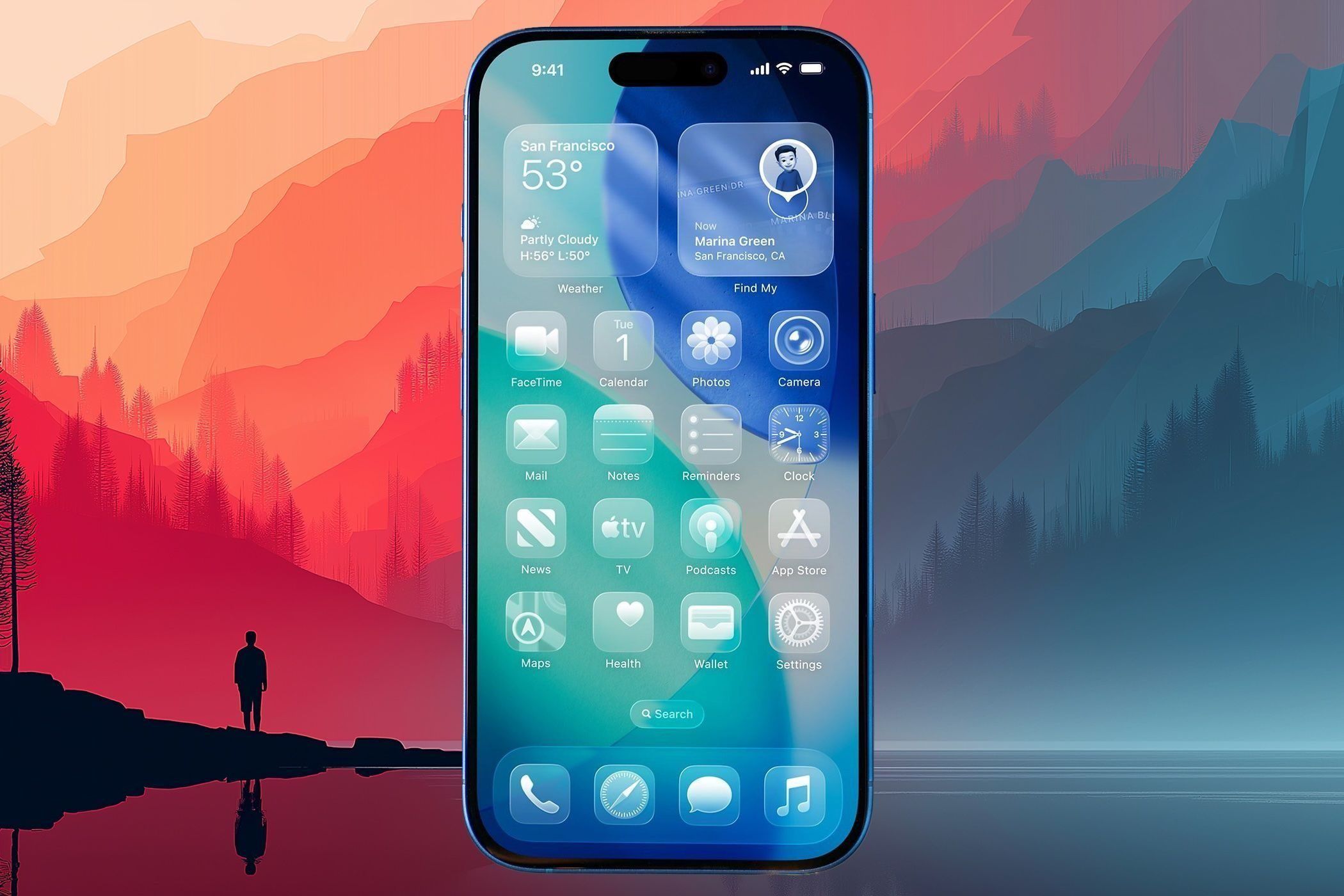
Liquid Glass tweaks: a new Lock Screen time opacity control
Apple’s Liquid Glass redesign has been polarizing, and iOS 26.2 continues the pattern of “keep the look, add more control.”
In the official release notes, Apple highlights an additional Lock Screen time customization option that lets you adjust the Liquid Glass material to be more or less opaque. 9to5Mac+1
AppleInsider describes it as a dedicated slider for the Lock Screen clock’s Liquid Glass opacity during Lock Screen customization. AppleInsider
iClarified’s release-day post similarly emphasizes this as the “standout visual change,” positioning it as refinement to Liquid Glass customization introduced earlier in iOS 26.1. iClarified
Enhanced Safety Alerts: richer emergency information (U.S. only)
Another notable addition in iOS 26.2 is Enhanced Safety Alerts, which aim to deliver more informative emergency warnings.
Apple’s release notes say Enhanced Safety Alerts can warn about imminent threats like floods, natural disasters, and other emergencies, with richer info such as a map of affected areas and links to additional guidance—available in the U.S. 9to5Mac+1
iClarified’s coverage underscores the same point: U.S. users may see more detailed information and maps for imminent threats. iClarified
AppleInsider adds that iOS 26.2 also introduces an Enhanced Safety Alerts section in Settings that can include imminent threat and earthquake alert controls, plus an option designed to improve delivery using approximate location sharing. AppleInsider
Apple Music: Favorite Songs gets surfaced, and lyrics work offline
iOS 26.2 includes two Apple Music changes that are small on paper but meaningful if you listen daily:
- Favorite Songs playlist appears in Top Picks on the Home tab
- Offline lyrics for downloaded songs 9to5Mac+1
There’s also a specific Apple Music-related fix: iOS 26.2 resolves an issue where pre-release albums weren’t immediately playable at release time. 9to5Mac+1
Podcasts: automatic chapters and better discovery from what you’re listening to
iOS 26.2 brings one of the more “quietly big” upgrades of the release: smarter podcast navigation.
Apple’s release notes list:
- Automatically generated chapters
- Links to mentioned podcasts directly from the player and transcript 9to5Mac+1
AppleInsider expands on this with a third benefit: quick access to links shared in a podcast from the episode page (often framed as a “From This Episode” style feature). AppleInsider+1
Earlier on release day, 9to5Mac highlighted auto-chapters as one of the “everyday” iOS 26.2 changes that feels unusually impactful for regular listeners. 9to5Mac
Games: better filters, real-time challenge updates, and controller support
Apple’s Games app also receives multiple upgrades in iOS 26.2, including:
- Filters in the Games library (category, size, etc.)
- In-game challenge score banners with real-time updates
- Improved support for connected controllers such as Backbone and Razer 9to5Mac+1
AppleInsider notes additional presentation and navigation improvements inside Games, including surfaced updates, friend activity, and sorting/filtering for past downloads. AppleInsider
Apple News: quicker navigation to key sections
Apple News is getting a more direct navigation experience in iOS 26.2.
Apple’s release notes describe Section links at the top of the Today feed for easier navigation to popular topics like Sports, Politics, Business, and Food. 9to5Mac+1
AppleInsider and 9to5Mac’s day-of coverage emphasize a similar concept, often listing Food, Politics, Puzzles, and Sports as examples of the newly surfaced sections. AppleInsider+1
CarPlay gets a Messages tweak (finally)
Not every CarPlay change is huge, but iOS 26.2 adds a setting that many drivers will appreciate: more control over what appears in Messages.
9to5Mac notes that pinned conversations for Messages can now be disabled in CarPlay Settings. 9to5Mac
AppleInsider describes it as a new toggle that separates CarPlay’s pinned-message behavior from the iPhone’s Messages settings. AppleInsider
More iOS 26.2 changes that add up
Beyond the headline items, iOS 26.2 includes a broad collection of smaller improvements:
- Multipack accessory pairing in the Home app (use one setup code to enroll multiple accessories sold together) 9to5Mac+1
- Flash for Alerts gains a screen-flash option in Accessibility Settings 9to5Mac+1
- Tables in Freeform, with cells that intelligently resize to fit content 9to5Mac+1
- A fix for a Privacy & Security setting that could be incorrectly marked as managed by an enterprise 9to5Mac+1
Individually, these might sound minor. Together, they’re the kind of polish update that makes the OS feel more “finished” day to day.
Regional updates: EU AirPods Live Translation and Japan’s new options
Some of iOS 26.2’s most consequential changes are region-dependent.
Live Translation expands in the EU
MacRumors reports that iOS 26.2 brings Live Translation for AirPods to the EU. MacRumors
Macworld similarly says Live Translation expands to all users in the European Union. Macworld
AppleInsider also reports Live Translation is now available to iPhone and iPad users in the EU in the iOS 26.2 timeframe. AppleInsider
Japan: alternative app stores and voice assistant options
MacRumors notes iOS 26.2 adds support for alternative app stores and other voice assistants in Japan. MacRumors
AppleInsider goes deeper, saying Japan users can select a third-party voice assistant via Side button behavior (with specific regional requirements), and also gain access to third-party app marketplaces such as AltStore PAL and the Epic Games Store. AppleInsider
Security updates: what we know (and what Apple hasn’t posted yet)
Apple’s iOS 26.2 release notes explicitly say the update includes security updates and point users to Apple’s security content portal for details. iClarified+1
However, as of the time this article was prepared, Apple’s “security releases” page still prominently listed iOS 26.1 and iPadOS 26.1 (released Nov. 3, 2025) among the most recent iOS 26 entries, and did not yet show an iOS 26.2 listing near the top. Apple Support
Apple also reiterates a key security reality: once an Apple software update is installed, it generally can’t be downgraded. Apple Support
Bottom line: iOS 26.2 is positioned as a typical security-and-features release, but the full CVE breakdown may lag behind the public rollout.
Should you update to iOS 26.2 right now?
For most users on iOS 26, iOS 26.2 looks like a “yes” update:
- It contains security updates alongside user-facing features 9to5Mac+1
- It adds meaningful upgrades for daily workflows (AirDrop, Reminders, Apple News, Podcasts) 9to5Mac+2AppleInsider+2
- It includes specific bug fixes that may affect real-world usage (Apple Music pre-release playback, enterprise management flagging) 9to5Mac+1
If you rely on your iPhone for time-sensitive work, a conservative approach is still reasonable: update after you’ve confirmed critical apps (banking, work VPN, authentication tools) behave normally. But iOS 26.2 is clearly intended as the mainstream public build.
Quick FAQ: iOS 26.2
What is iOS 26.2?
It’s Apple’s second major point update to iOS 26, released on Dec. 12, 2025, with feature additions, bug fixes, and security updates. MacRumors+1
What are the biggest new features?
AirDrop Codes, Reminders alarms for urgent tasks, a Lock Screen Liquid Glass opacity control, Enhanced Safety Alerts (U.S.), and app upgrades for Apple Music, Podcasts, Games, and Apple News. 9to5Mac+2AppleInsider+2
Which iPhones support iOS 26.2?
iPhone 11 series and later, plus iPhone SE (2nd generation). MacRumors
How do I download iOS 26.2?
Settings → General → Software Update. MacRumors+1